lastshift.app
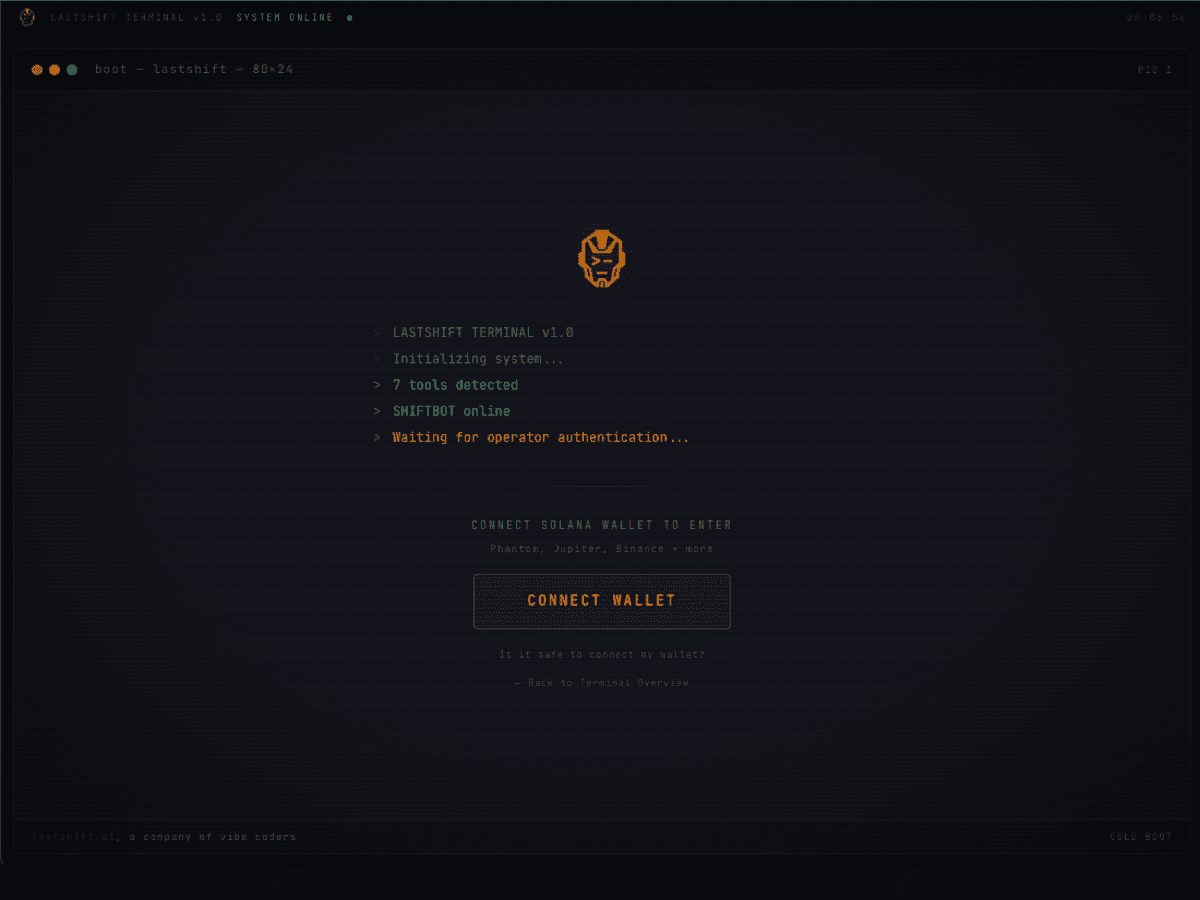
lastshift.app — click CONNECT WALLET
STEP 01
Open the Terminal
Go to lastshift.app. That's the suite. Click CONNECT WALLET. Phantom, Solflare, Backpack — any Solana wallet.
LAUNCH TERMINAL →Profile creation, proofs, editing, and profile states — pick a topic below to see exactly what to do.
The full flow for a brand-new operator — from zero to a live @handle profile. No email, no password, just a wallet. Every step has a screenshot so you know exactly what to expect.
If you've used Microsoft products, you already understand this.
Your Terminal ID is a license key issued by the Terminal at lastshift.app. It looks like a Windows product key. One key. Every tool.
Go to lastshift.app. That's the suite. Click CONNECT WALLET. Phantom, Solflare, Backpack — any Solana wallet.
LAUNCH TERMINAL →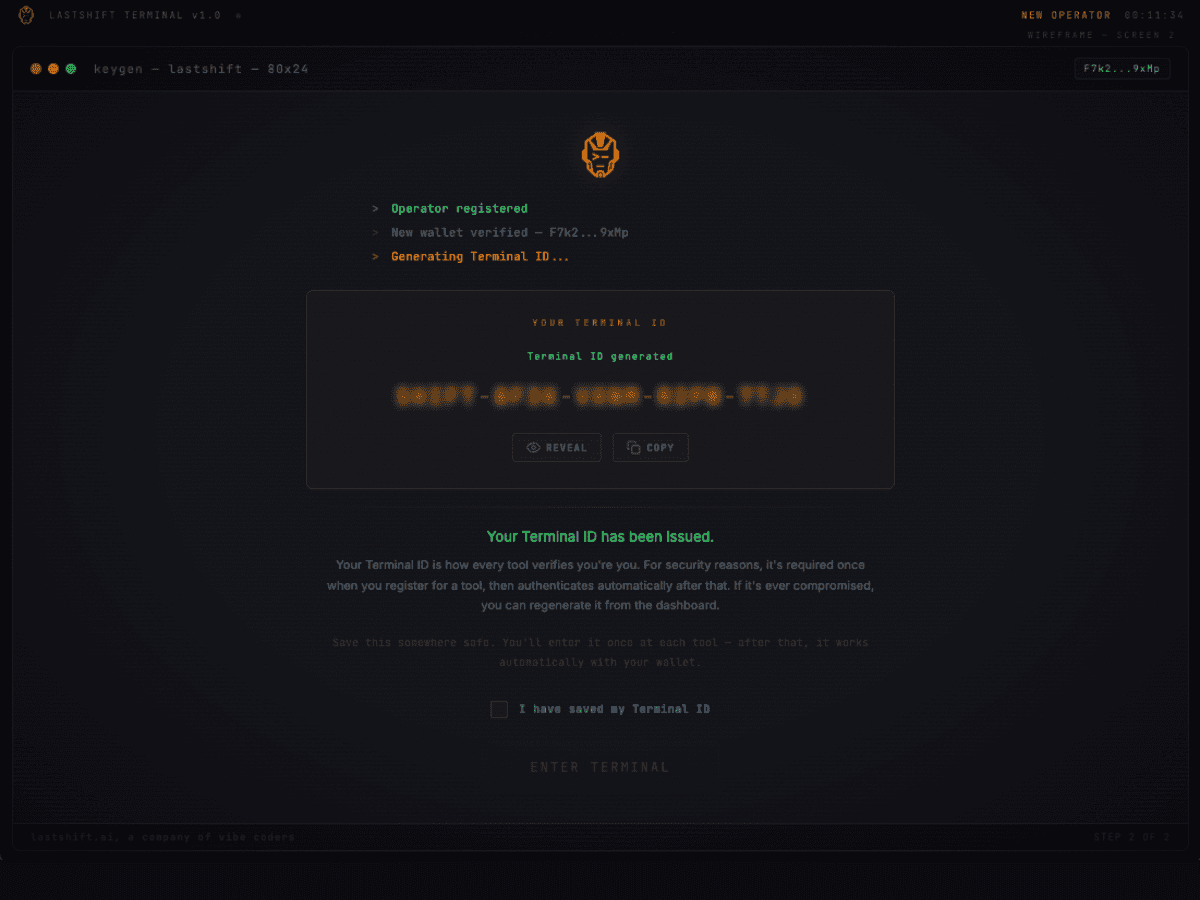
The Terminal generates a unique XXXX-XXXX-XXXX-XXXX-XXXX key. Save it — this is your license for every tool.
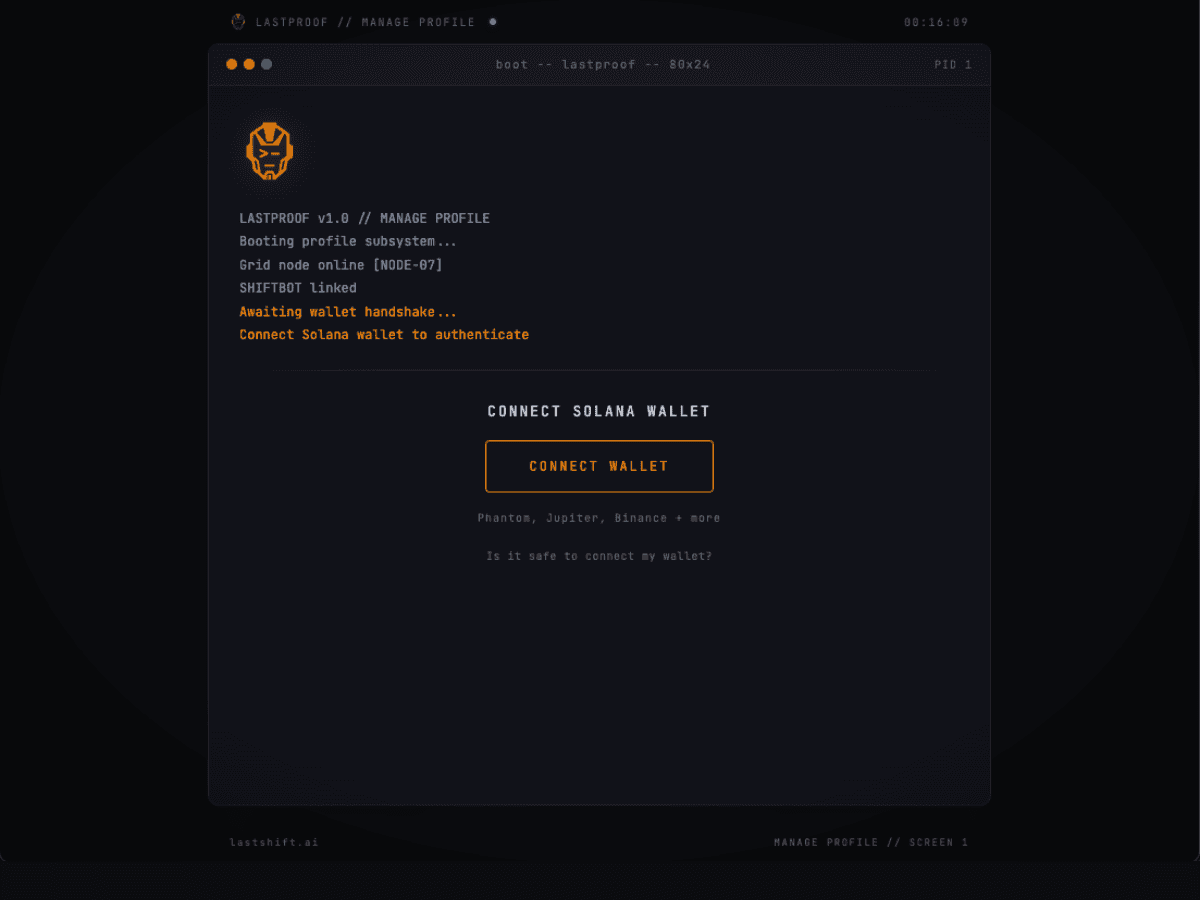
From the Terminal dashboard, click LAUNCH LASTPROOF. It opens lastproof.app in a new tab.
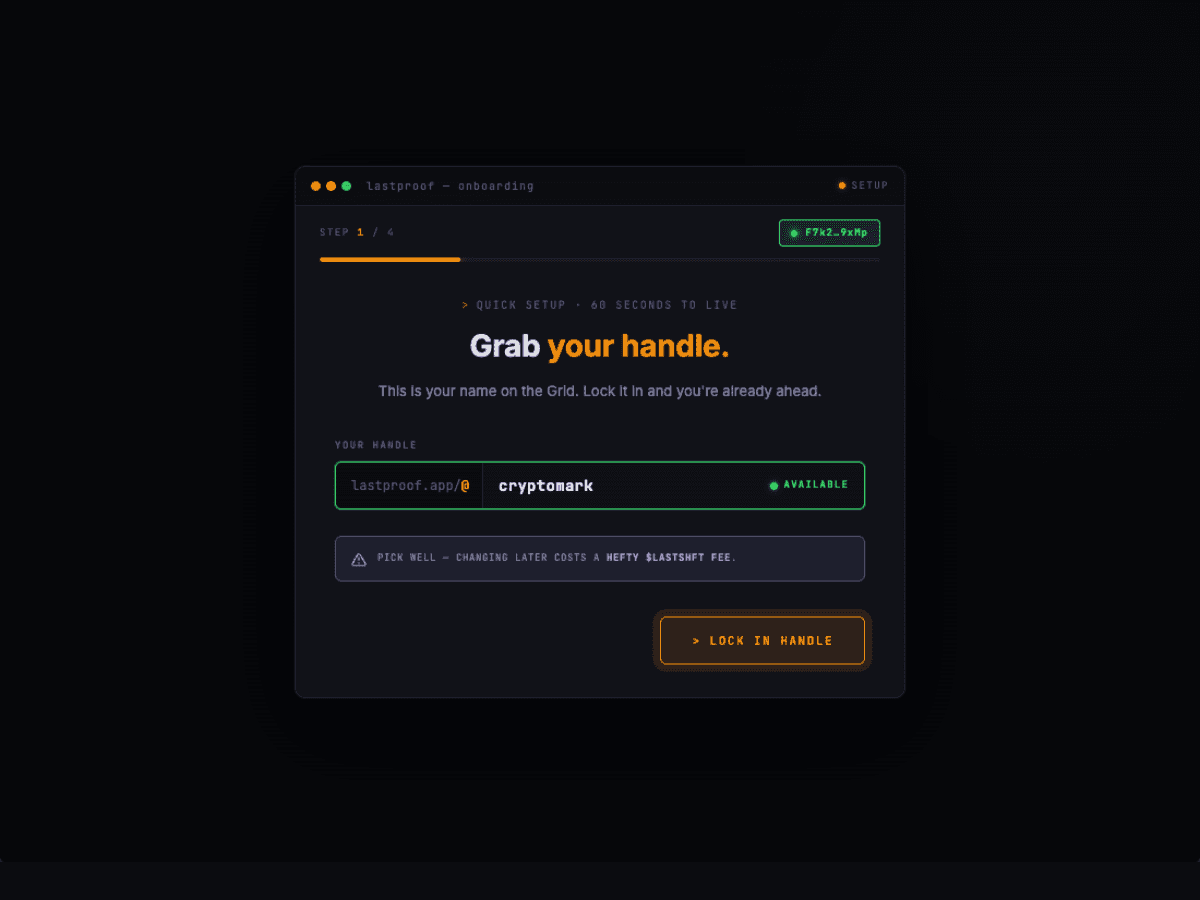
On lastproof.app, paste your Terminal ID to authenticate. Pick your @handle (becomes your public URL: lastproof.app/@you). Add your bio, categories, and work history.
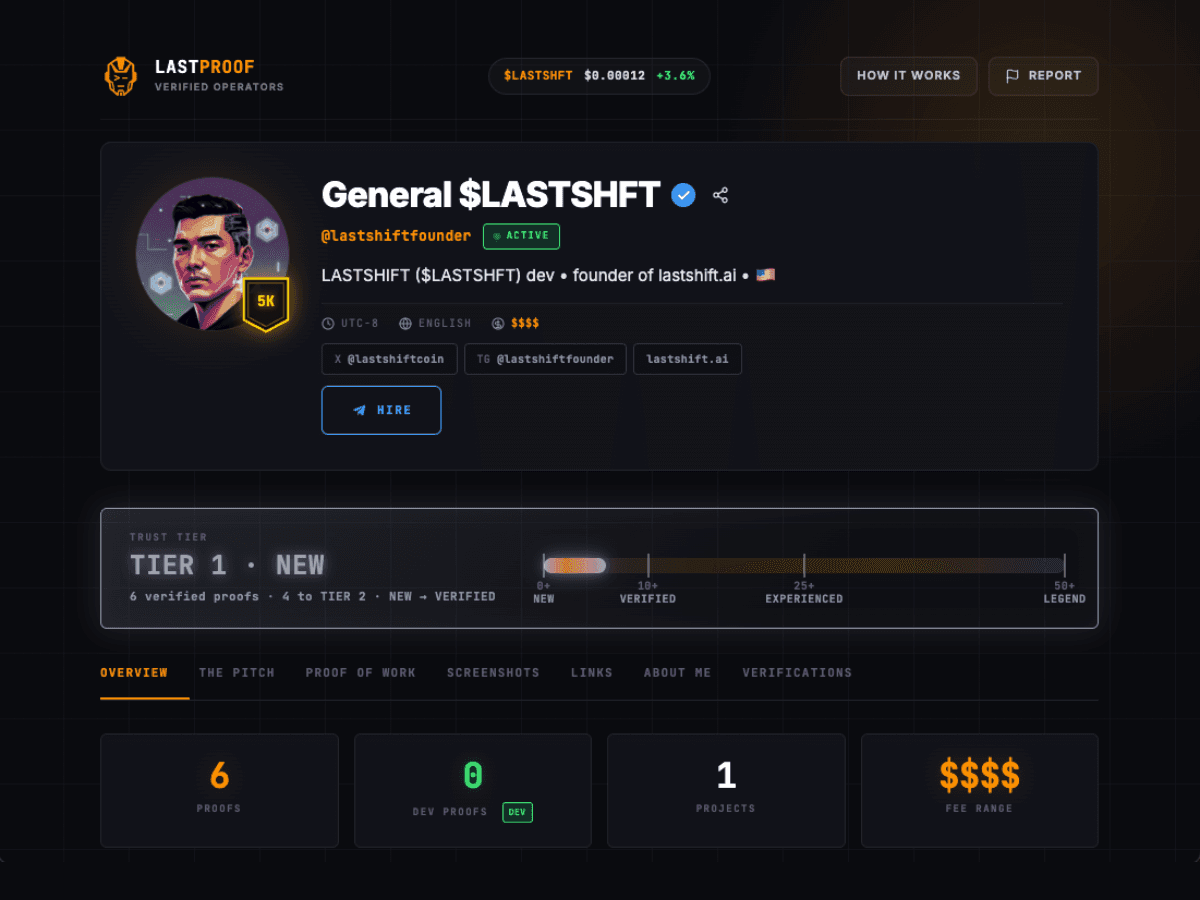
Drop lastproof.app/@you in DMs, bios, proposals. Teammates and devs pay $1 ($5 for DEV) to verify your work on-chain. Your tier grows. Projects find you on the Grid.
Proofs are the heart of LASTPROOF. This covers both sides: how to submit a proof on someone else's work, and how to get proofs on your own profile.
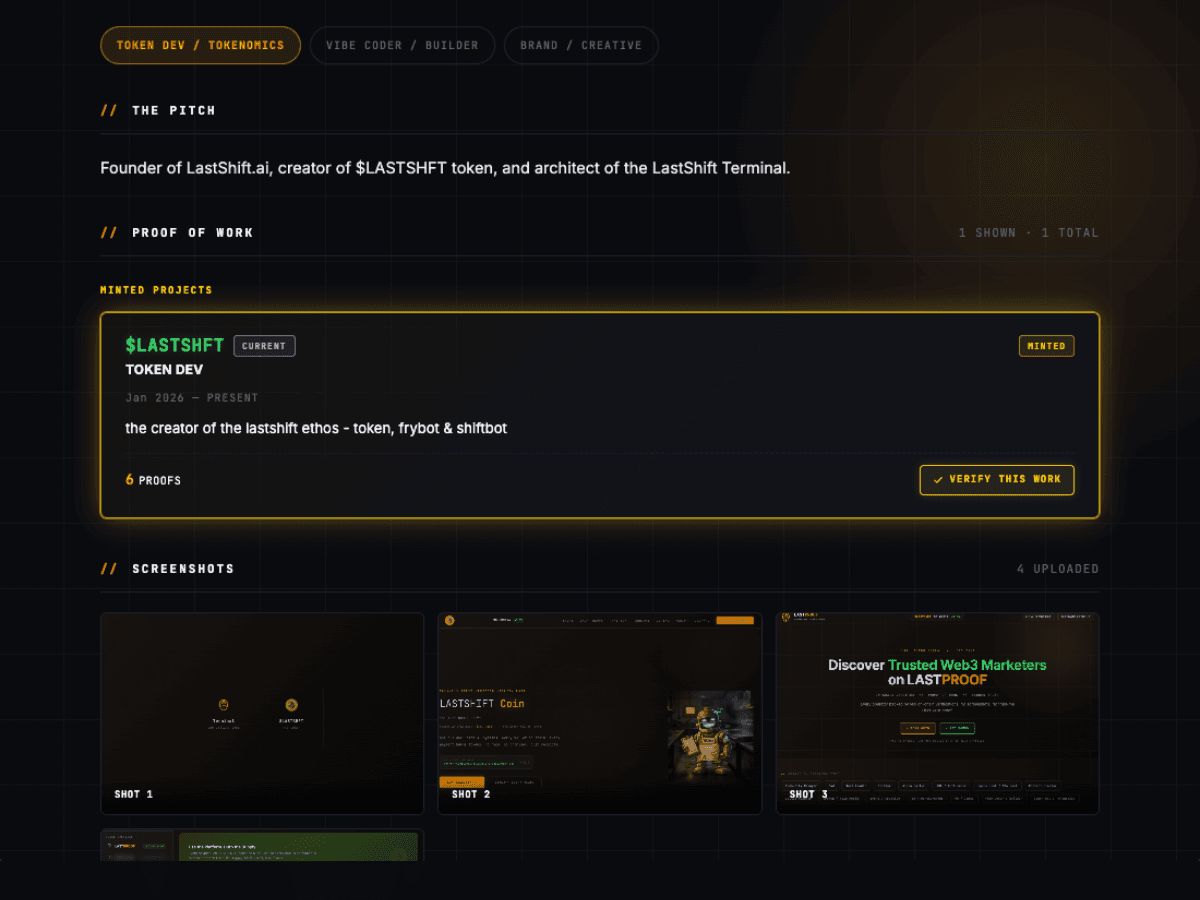
Visit the operator's profile (lastproof.app/@handle). Scroll to Proof of Work. Find the project or campaign you worked on with them. Click VERIFY THIS WORK on that project card.
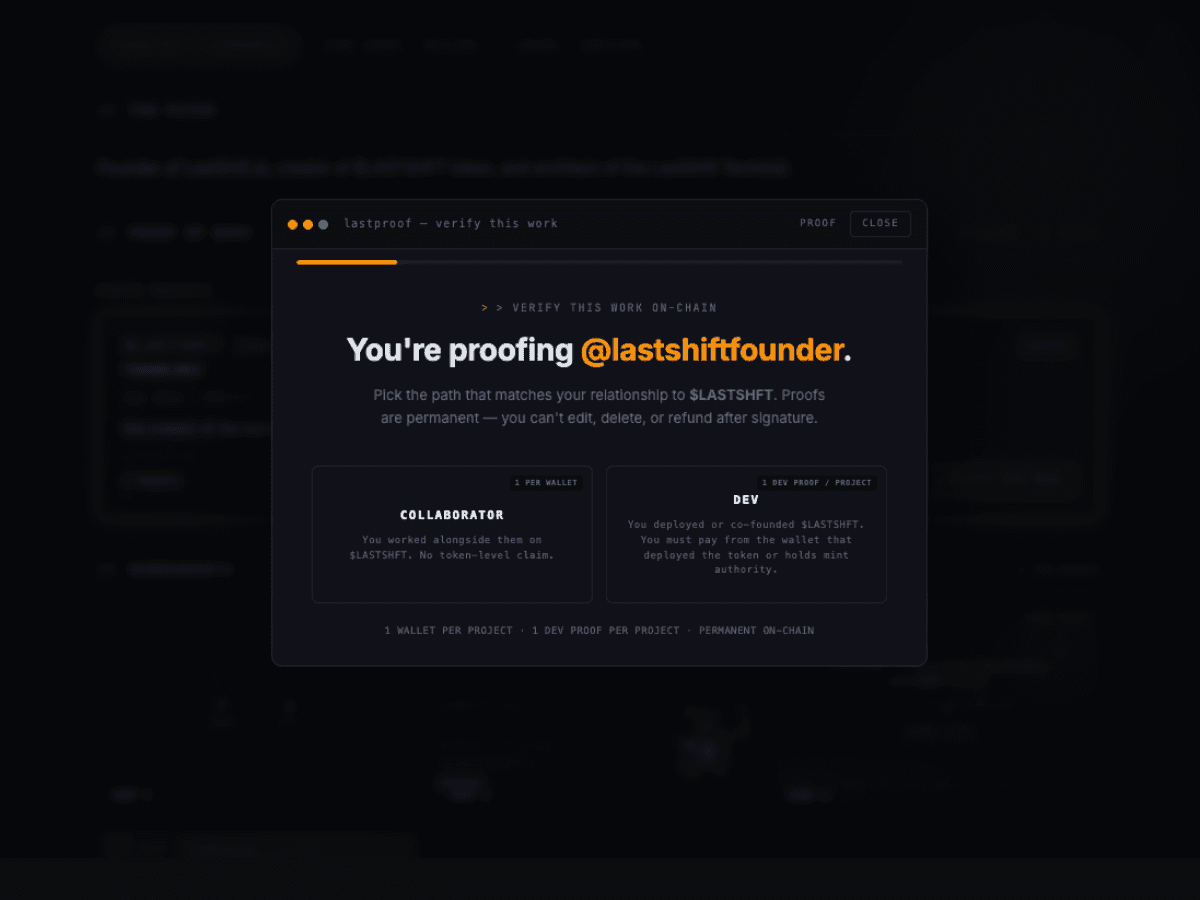
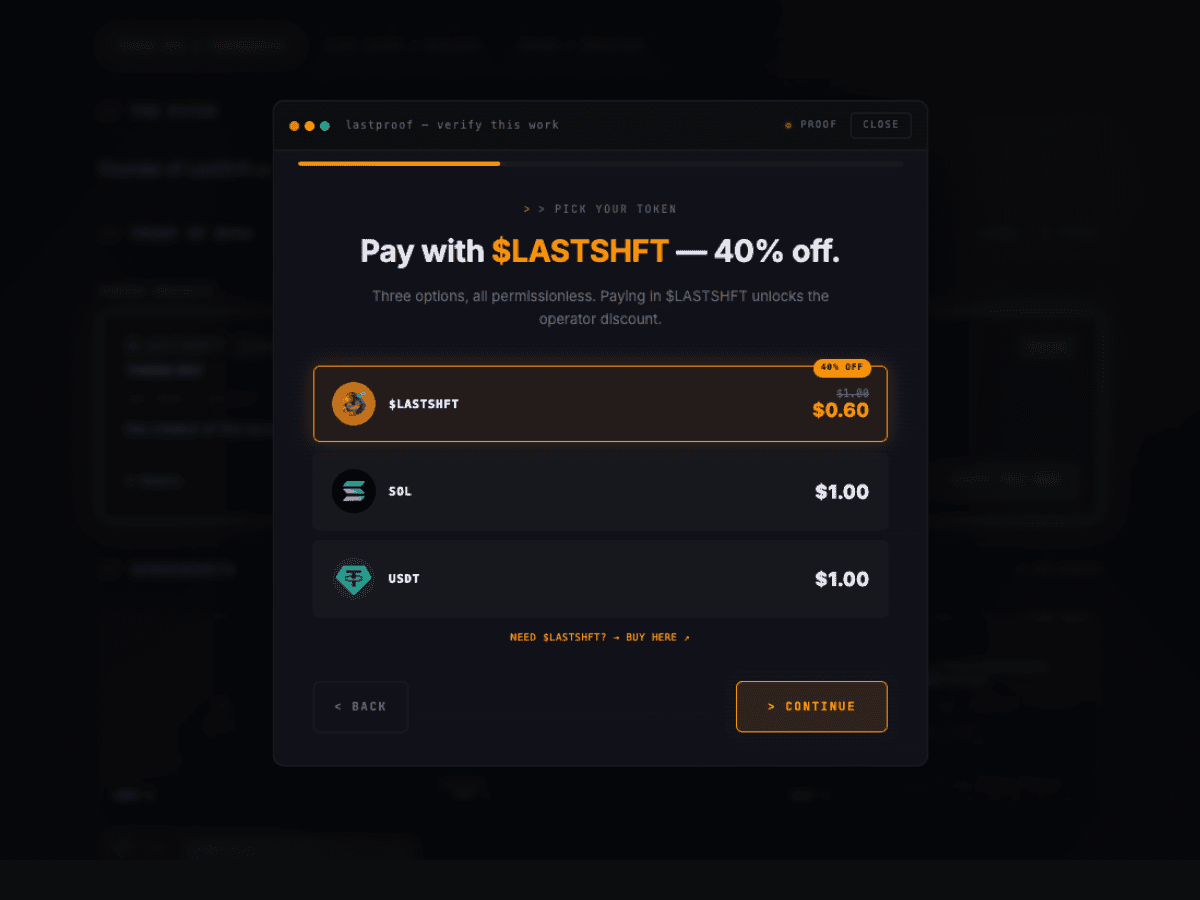
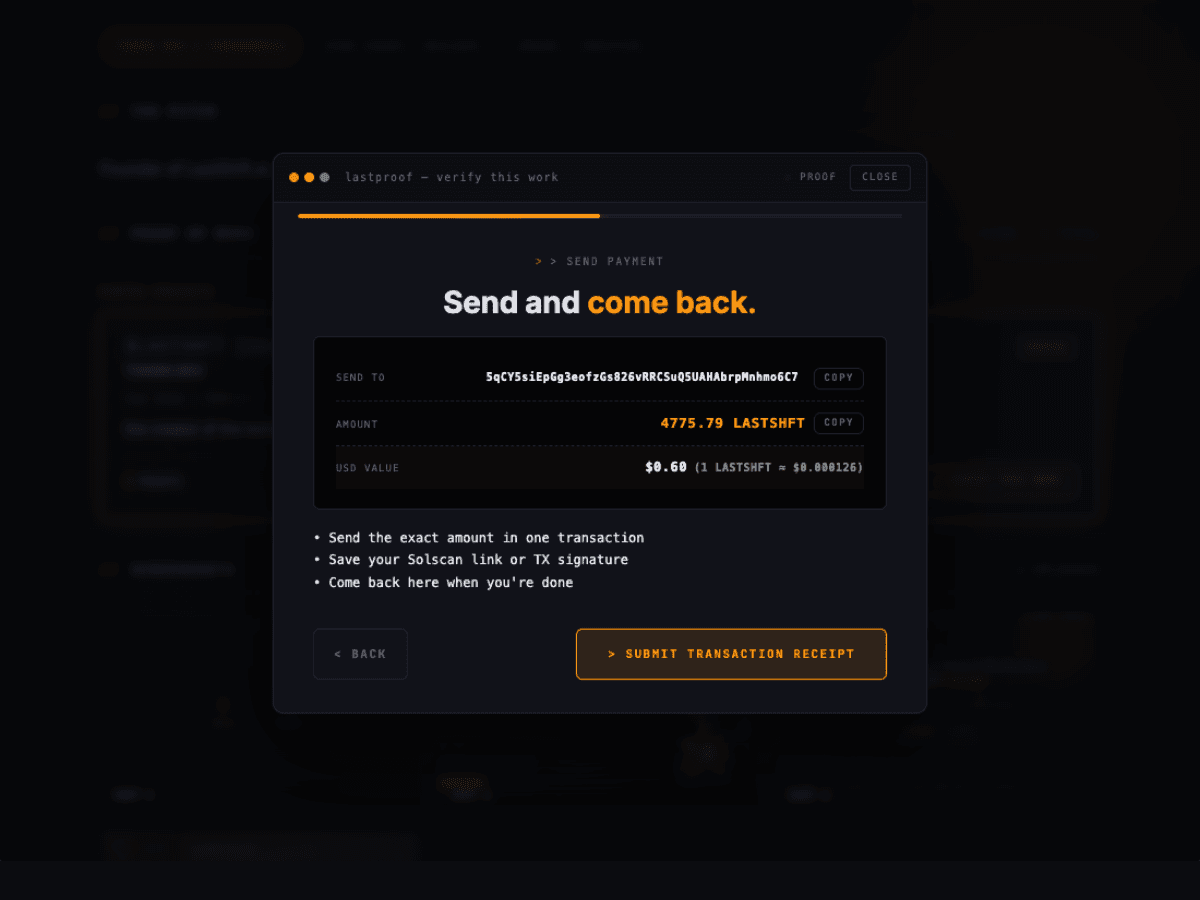
The modal shows the destination address (copy button), the exact amount in your chosen token (copy button), and instructions to open your wallet and send that exact amount to that address.
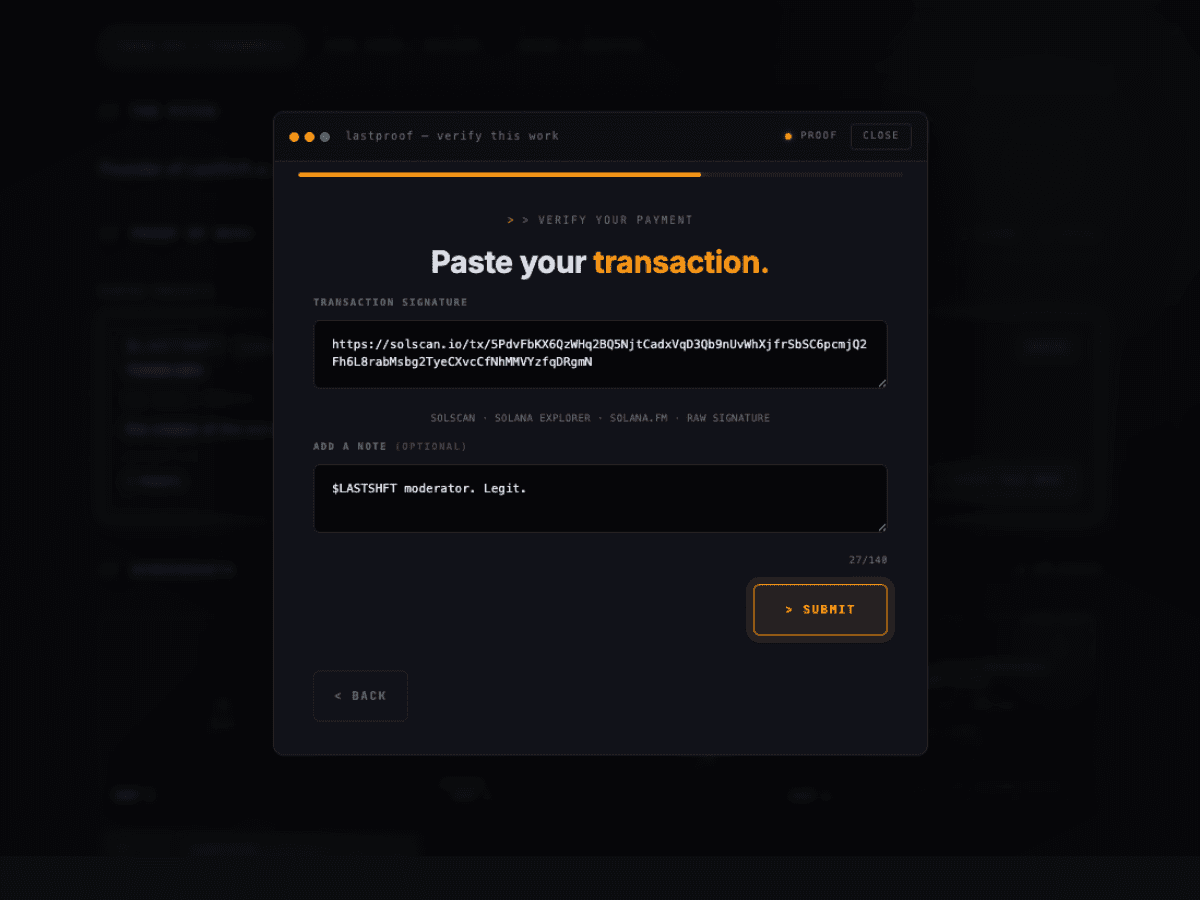
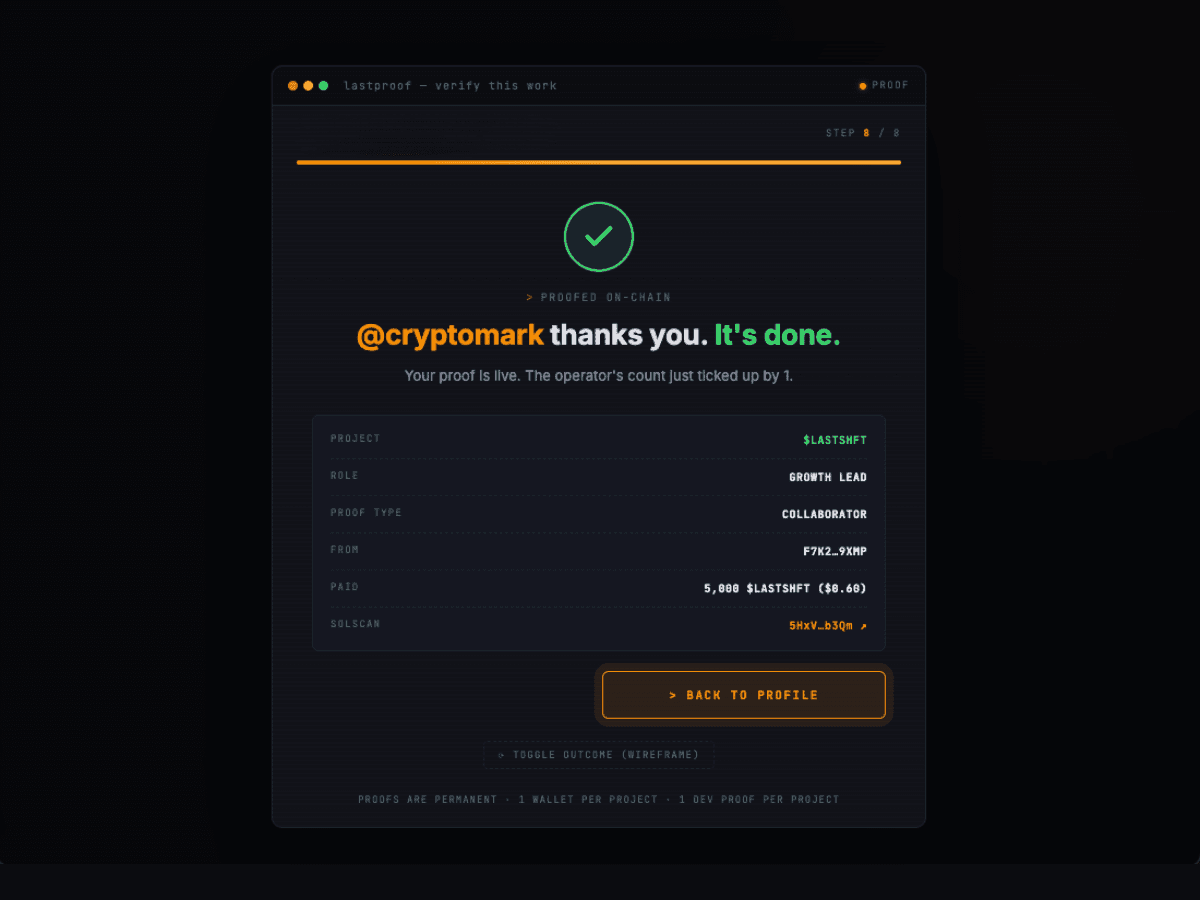
Backend verifies in 1–5 seconds via the Helius webhook. You'll see a terminal-style cascade of checks, then a receipt screen with a Solscan link. Reload the profile page — your proof is now permanent.
You can't proof yourself. Here's how to actually collect them.
When a project wraps, send the project lead your lastproof.app/@youlink with: "Would mean a lot if you dropped a proof on my @handle for the [project] work." Most devs say yes if you ask.
DEV Proofs come from the wallet that deployed the project (or holds its mint authority or multisig signer seat) — the strongest trust signal on the platform, and the only way to earn the DEV badge. Tier math still counts a DEV Proof as one proof, but devs reading your profile weigh them a lot heavier than regular ones.
Hit 10+ past collaborators in one week, not spread out. Profile goes 0 → 10 proofs fast, which pushes you from TIER 1 · NEW straight into TIER 2 · VERIFIED. Profiles with momentum convert teams better.
Don't send "hey proof me." Send: "Can you drop a proof on the $BONK raid campaign from Aug 2024? lastproof.app/@you, scroll to Proof of Work, the card says $BONK Raid Commander." Lower the friction.
Everything you can change about your profile after it's live — bio, work items, screenshots, handle, verification, plan tier, and minted projects.
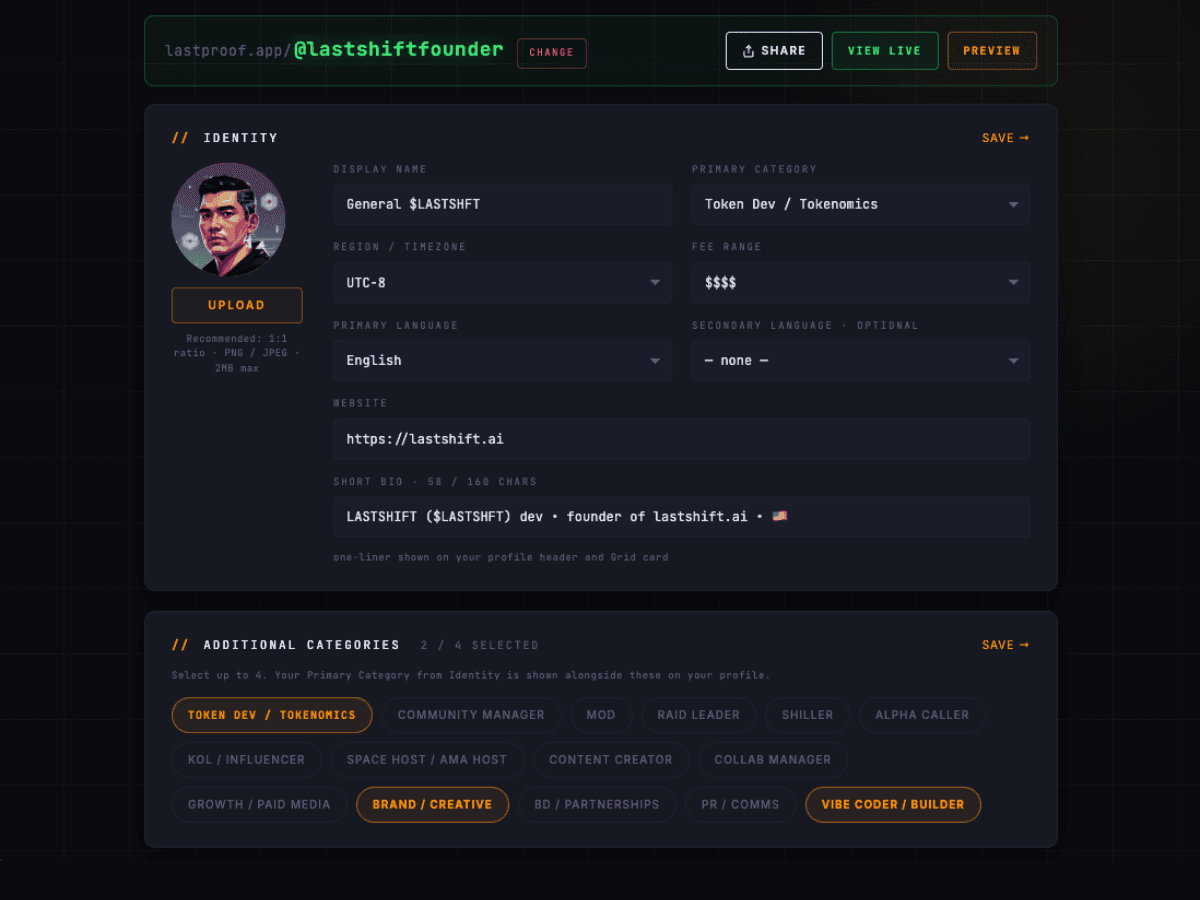
Head to /manage. Your bio, pitch, and categories all live in the main profile panel. Click EDIT next to any field to open the inline editor. Changes save instantly — no separate "save" button.
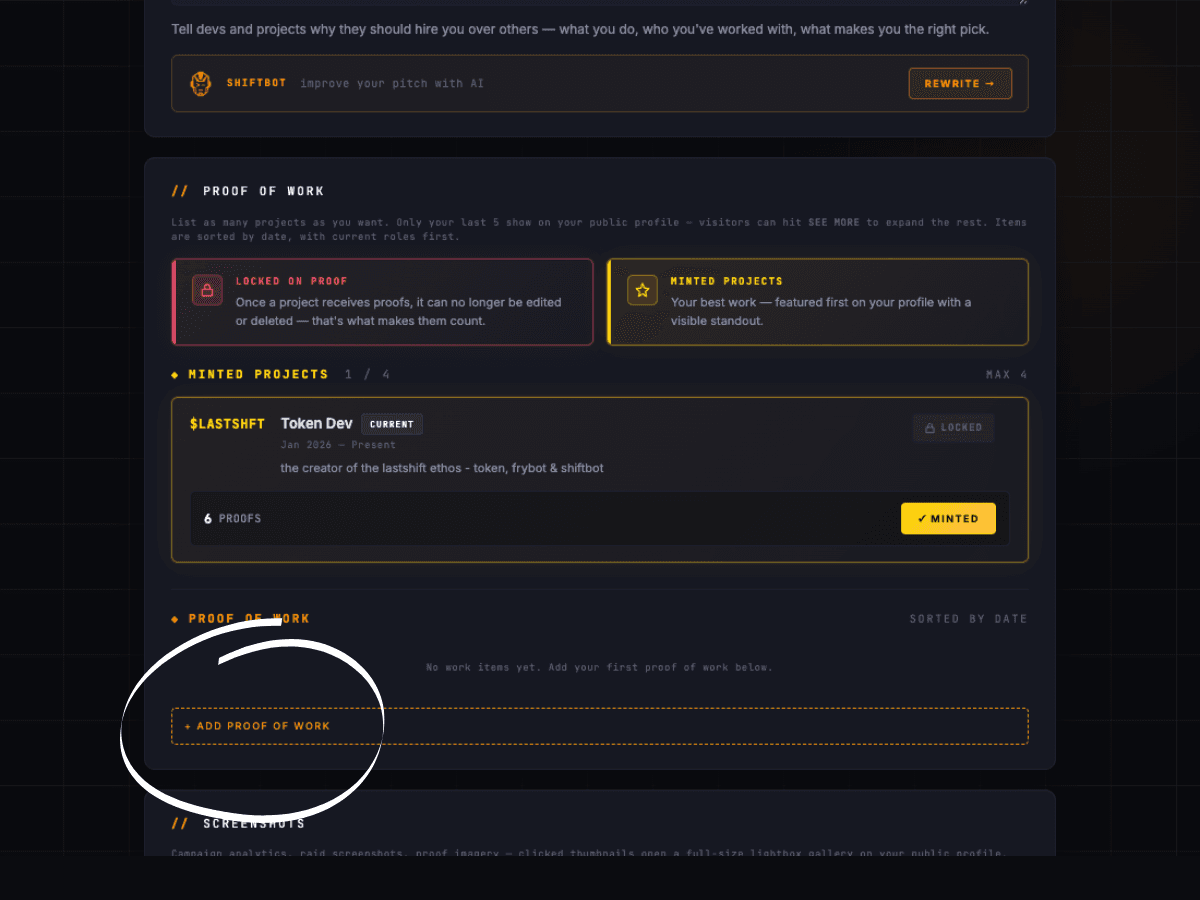
Work items are individual projects or campaigns. Each gets its own card with title, role, period, description, and a VERIFY THIS WORK button that collaborators click to proof you.
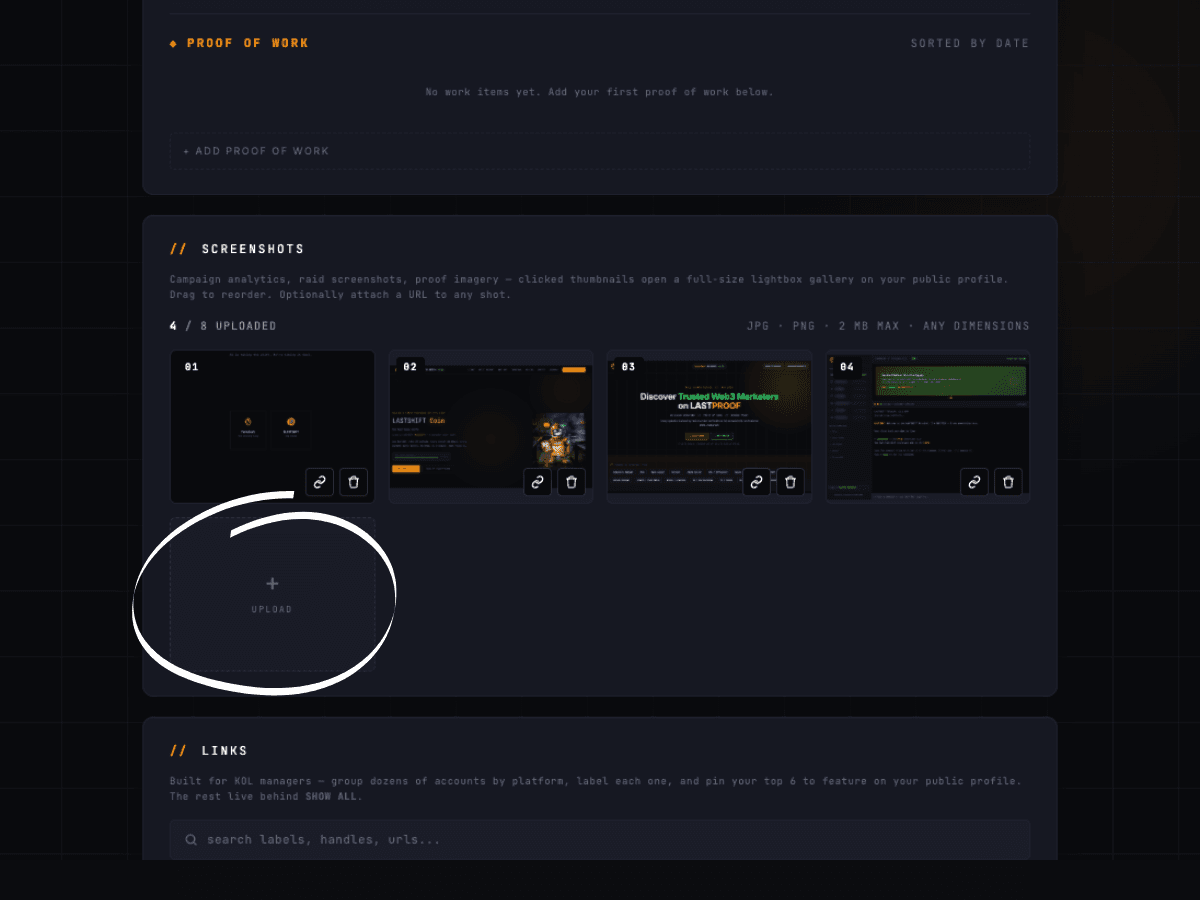
Screenshots are visual proof — analytics dashboards, raid results, campaign metrics. Upload from the "Screenshots" section of /manage.
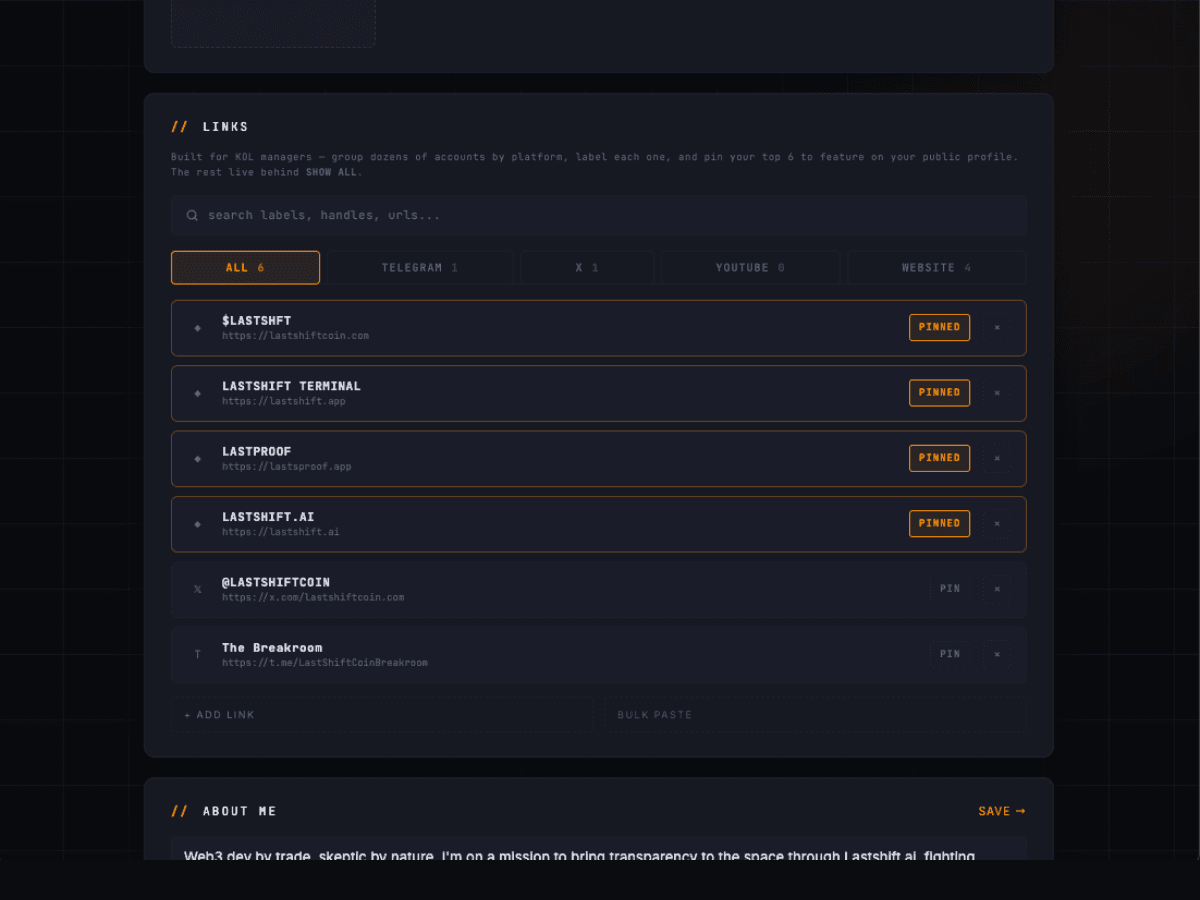
Links appear on your public profile as clickable icons. Add them from the "Links" section of /manage.
Max: 5 links total.
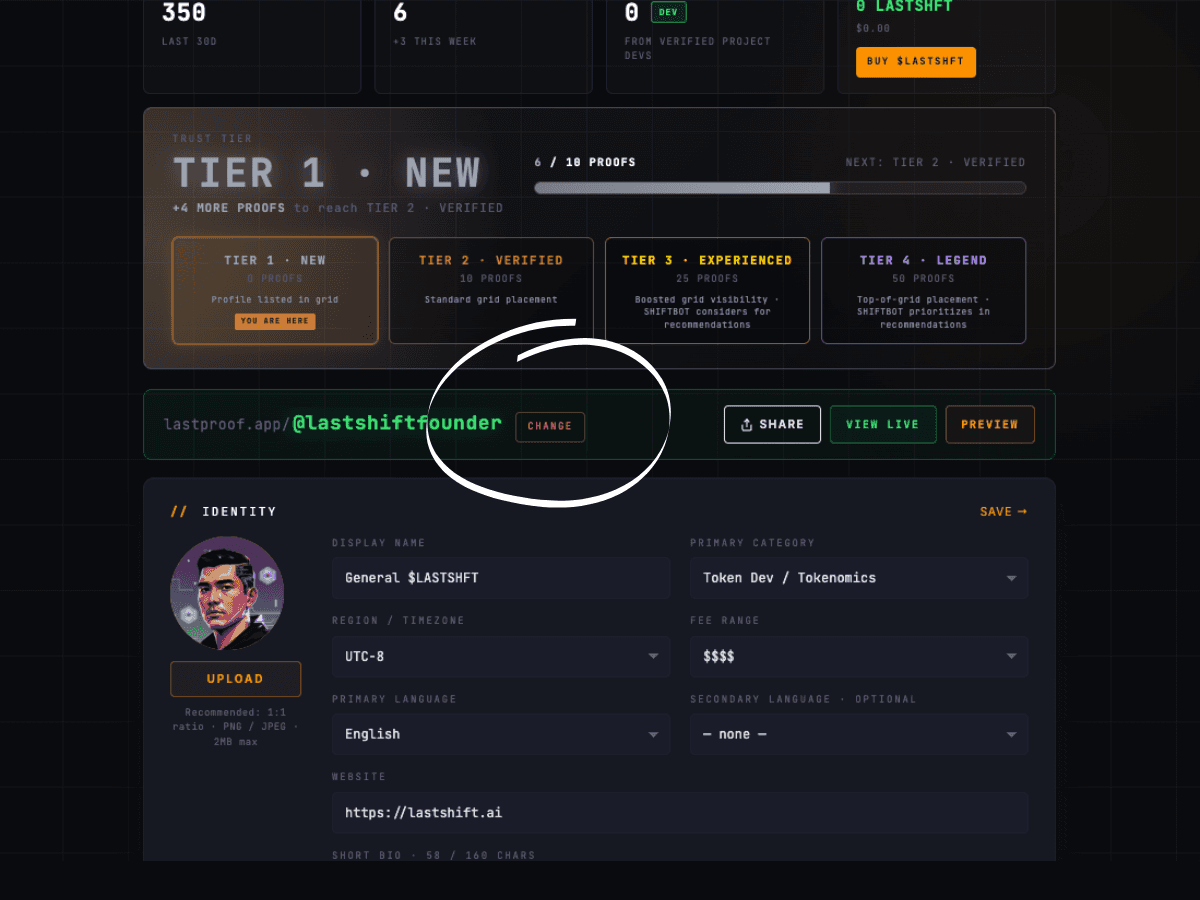
Your @handle is the permanent URL for your profile (lastproof.app/@you). Changing it is paid — to prevent squatting and keep old links meaningful.
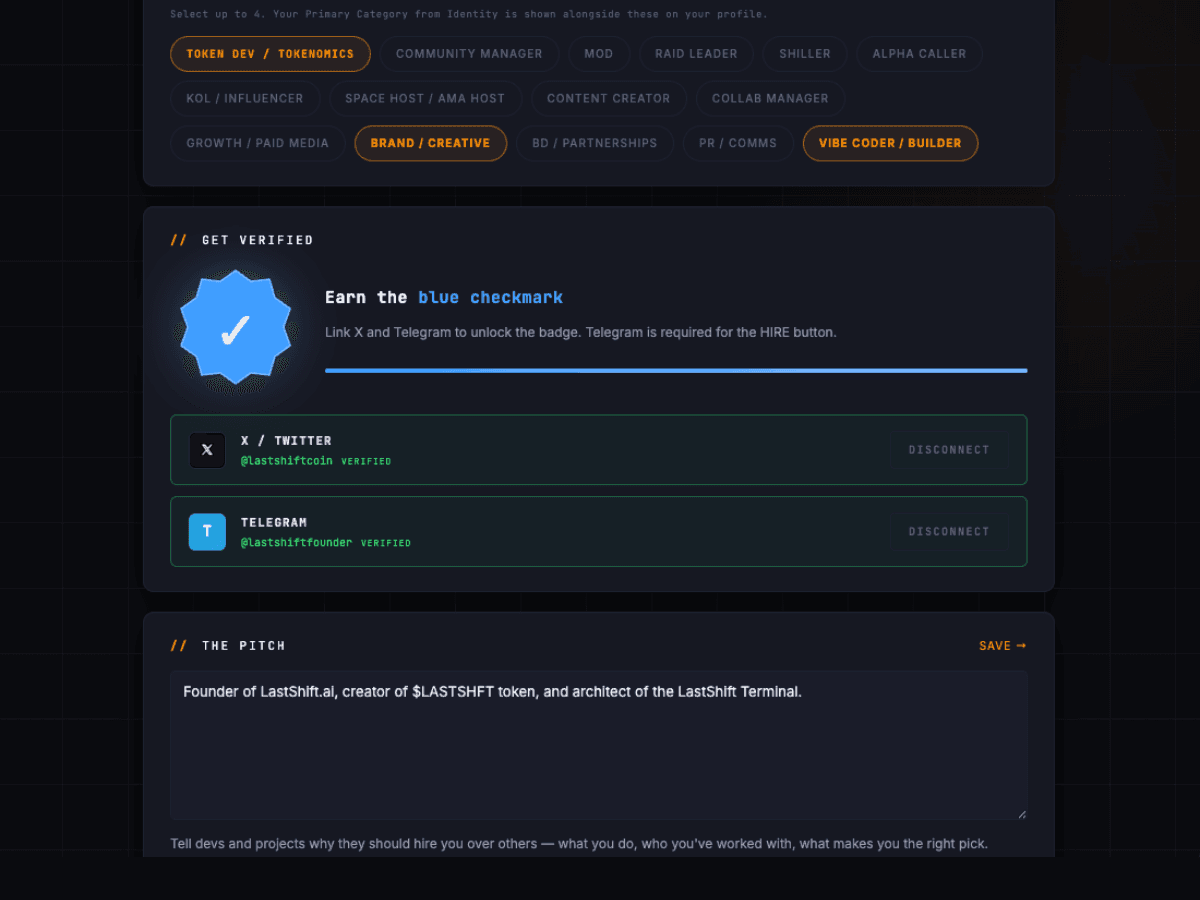
Verifying your X and Telegram earns the Verification Badge — a green checkmark on your public profile. Optional but adds credibility.
X:add X link in /manage → click VERIFY → post pre-formatted tweet (we provide text + one-time token) → click "I've posted it." Badge applies.
Telegram: add TG handle → click VERIFY → DM @LastShiftAuthBot (sends code) → paste code back in /manage. Badge applies.
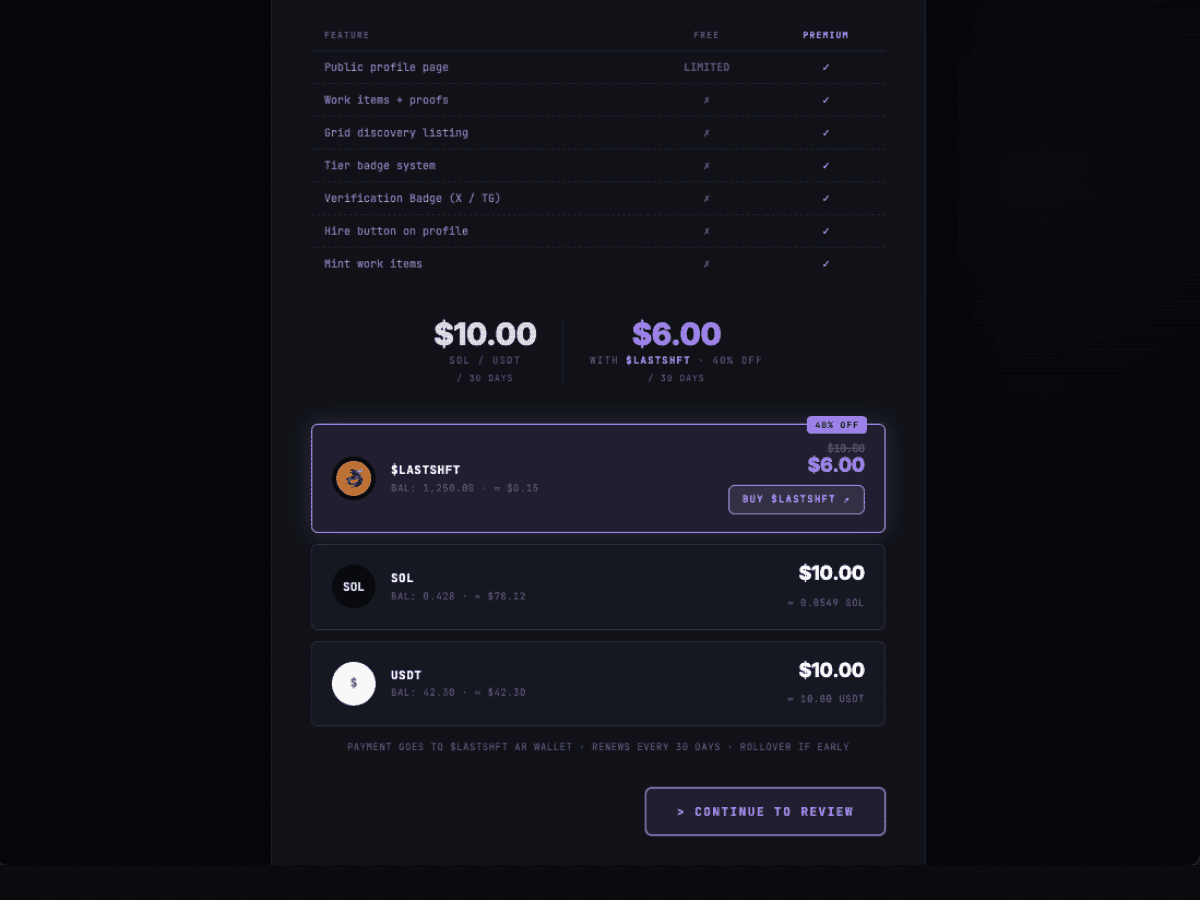
Free profiles are limited — not findable on the Grid, no tier, no DEV badge, no proofs visible publicly. Upgrade to paid ($10/mo or $6 in $LASTSHFT) to unlock the full profile.
Reactivating: same flow. Pay, features come back instantly.
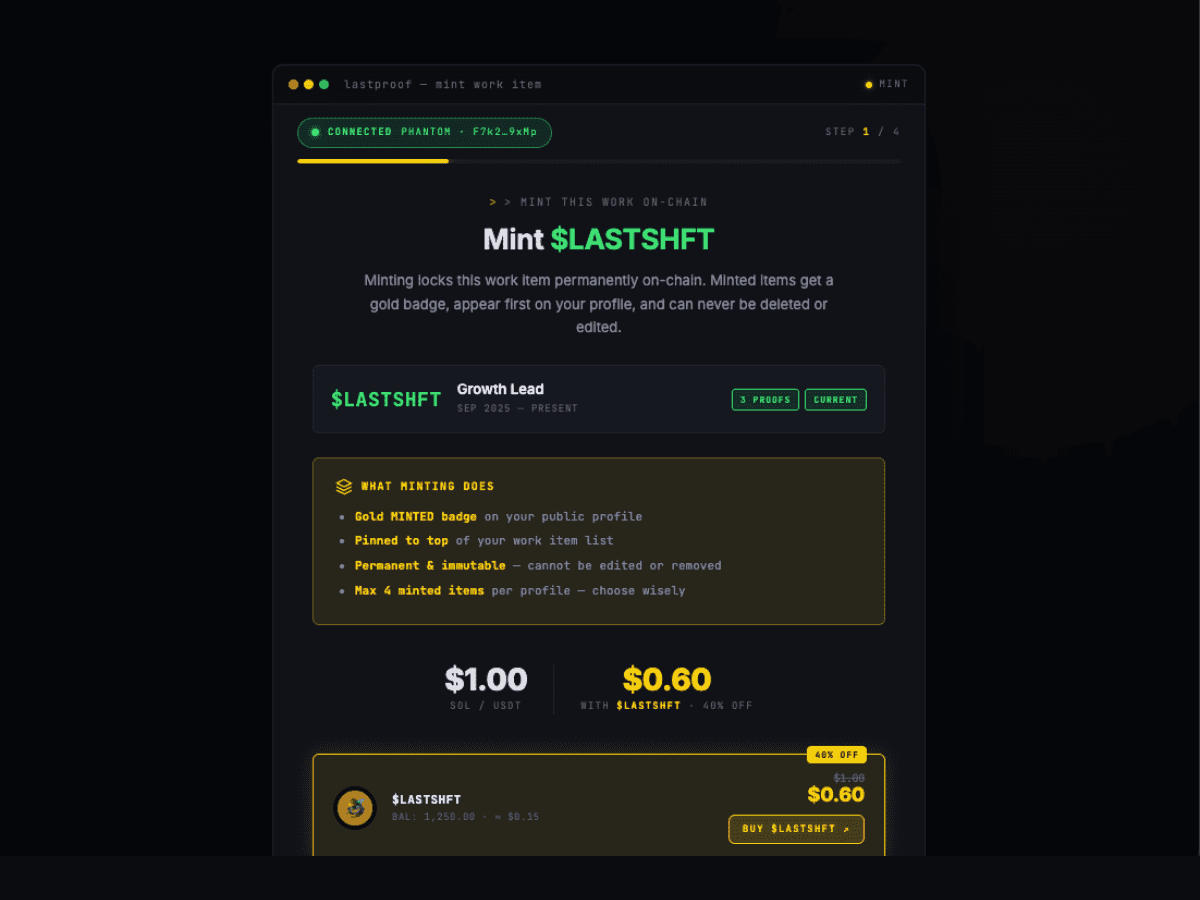
Minted projects are your portfolio's greatest hits. Pinned to the top of your Proof of Work section, separate from recent work. Marked with a gold MINTED badge.
Cost: $1 per mint, same 3-token paste-verify flow.
When paying for any of the above, you can use a different wallet than your identity wallet.
One Terminal ID per wallet. Use the wallet you're comfortable being recognized by.
When paying for subscriptions, mints, or handle changes, you can pay from ANY wallet. Burner, treasury, whatever. Tools care about: valid Terminal ID + any wallet sending a valid TX.
Your LASTPROOF profile lives in one of four states. Each has different rules — what shows publicly, what you can edit, what you pay, and how to move between states.
STATE              COLOR        ON PROFILE CARD         PAYING?
─────────────      ────────     ───────────────         ────────
ACTIVE PAID        green        "ACTIVE" pill           yes — $10/mo (or $6 in $LASTSHFT)
FIRST 5,000 (EA)   gold         "EA" ribbon + pill      no — free forever (first 5,000 only)
FREE               silver       "FREE" pill             no — profile is view-limited
DEFUNCT            red          "DEFUNCT" pill          no — 90+ days no payment / activity
ACTIVE PAID and FIRST 5,000 render the full profile. FREE and DEFUNCT render stripped-down versions. Upgrading brings everything back instantly — your data is never deleted.
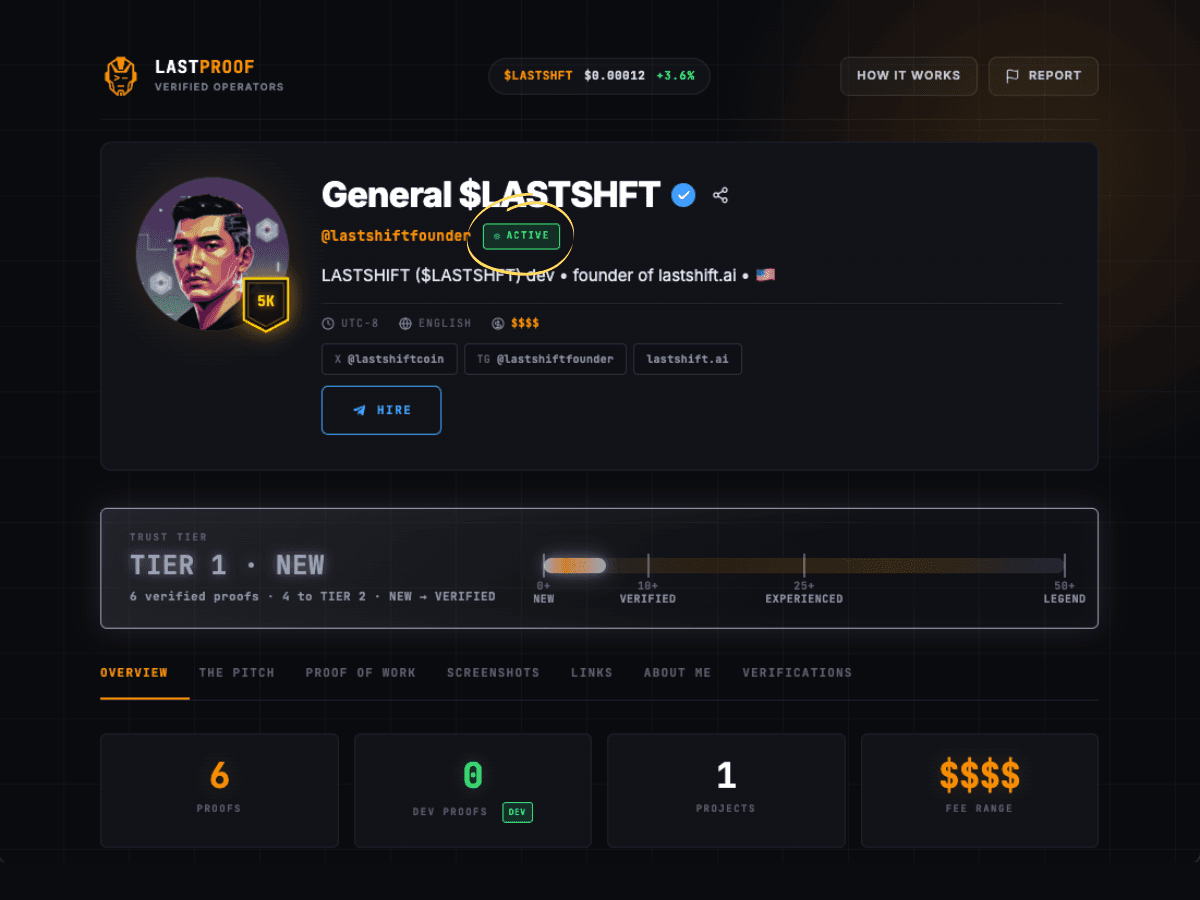
What it means: On a paid subscription in good standing. $10/mo or $6 in $LASTSHFT. Full feature access.
Get here: pay via /manage → UPGRADE PROFILE, or get credited during First 5,000.
Leave: stop paying → lapses to FREE; 90+ days no login → drops to DEFUNCT.
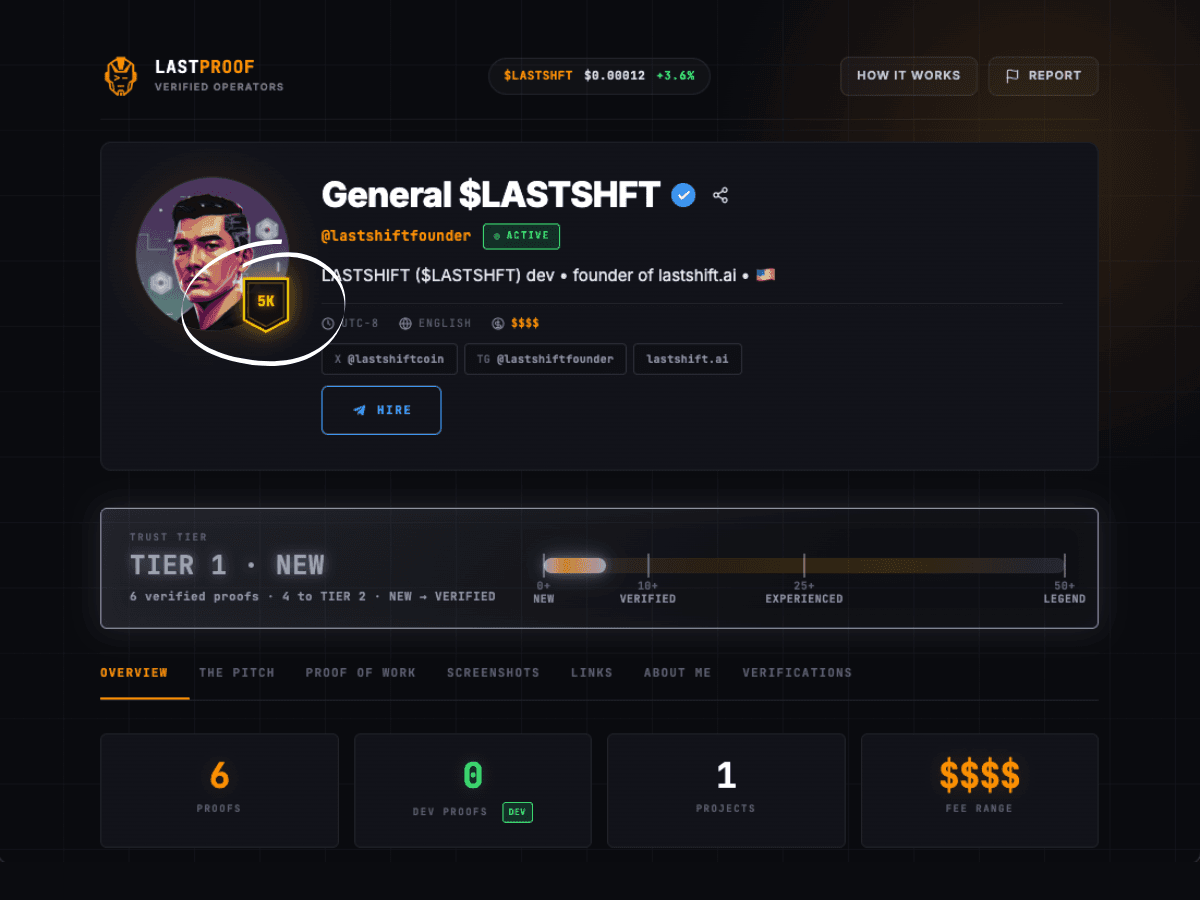
What it means: You claimed one of the first 5,000 spots. Full Active Paid features — free forever, no recurring billing.
Leave: only if you choose to. Your spot persists as long as the profile stays in good standing (no abuse / no 90+ days fully inactive on a defunct path). URL, handle, bio, proofs, tier, DEV badge stay intact.
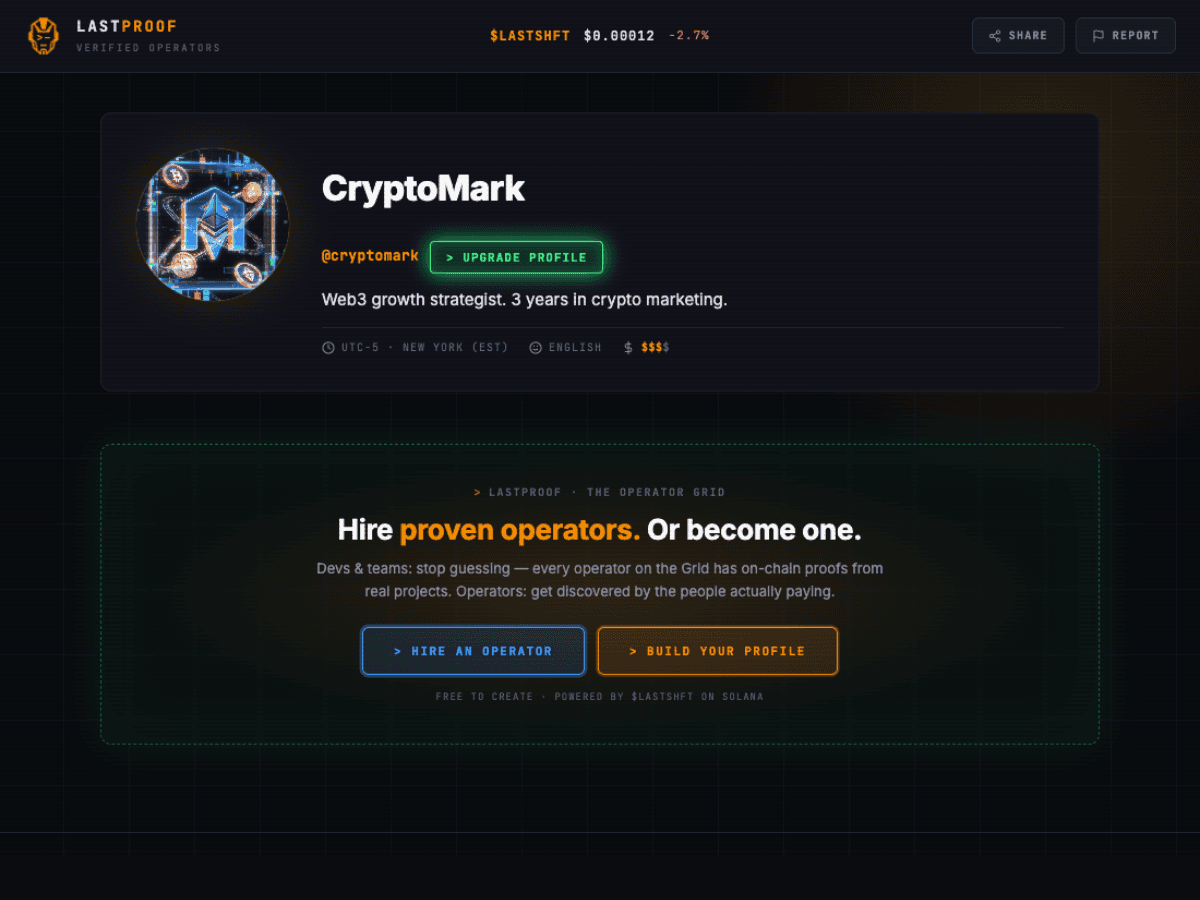
What it means:Profile exists but isn't paying. Never upgraded, or subscription lapsed (not in the EA window). View-limited publicly.
Leave: /manage → UPGRADE PROFILE → pay. Hidden features return instantly.
What it means: No paid subscription AND no account activity for 90+ days. Profile is dormant.
              [ new wallet ]
                    │
         connects via Terminal (lastshift.app)
                    │
                    ▼
              ┌─────────────┐
              │    FREE     │ ◄──── subscription lapses (paid only)
              └─────────────┘
                    │  ▲
        UPGRADE     │  │   stop paying / 90d no login
                    ▼  │
              ┌─────────────┐       ┌──────────────┐
              │ ACTIVE PAID │       │ FIRST 5,000  │   free forever — no
              └─────────────┘       │    (EA)      │   auto-conversion
                    │               └──────────────┘
         90+ days no login + no pay
                    │
                    ▼
              ┌─────────────┐
              │   DEFUNCT   │ ──── log in ──► FREE
└─────────────┘ ──── upgrade ──► ACTIVE PAID| State | Subscription | Handle change | Proofs (paid by verifier) | DEV proofs | Mint |
|---|---|---|---|---|---|
| ACTIVE PAID | $10/mo (SOL/USDT) or $6 $LASTSHFT | $100 or $60 $LASTSHFT | $1 | $5 | $1 |
| FIRST 5,000 | $0 forever (first 5,000 only) | $100 or $60 $LASTSHFT | $1 | $5 | $1 |
| FREE | $0 (can't receive proofs) | locked | n/a | n/a | locked |
| DEFUNCT | $0 (reactivate to unlock) | locked | n/a | n/a | locked |
TIER 1 · NEW          → 0+ proofs silver
TIER 2 · VERIFIED     → 10+ proofs bronze
TIER 3 · EXPERIENCED  → 25+ proofs gold
TIER 4 · LEGEND       → 50+ proofs purple
Tier is never shown as a bare number — always "TIER N · NAME." Internally a Tier 5 sentinel means "off the ladder" (not paid / not published) — you'll never see it in UI.
Quick answers to the most common questions across all topics. Click any question to expand.
Head to lastshift.app (the Terminal) and connect your Solana wallet. It auto-generates your Terminal ID in about 30 seconds — no email, no password, no KYC. Save the key, then come back here.
LAUNCH TERMINAL →Because LASTPROOF is one tool in a bigger suite. Same reason you don't sign up for Microsoft Word directly — you sign into Microsoft's system (Office 365), which gives you access to Word, Excel, PowerPoint. One identity, many tools. The Terminal is our Office 365. LASTPROOF is our Word.
A license key formatted XXXX-XXXX-XXXX-XXXX-XXXX. Think of it like a Windows product key. Paste it into each tool once to register, then it authenticates you automatically. One key works for every tool in the LASTSHIFT suite.
Getting your Terminal ID is free. LASTPROOF: the first 5,000 operators get the profile free forever. After the 5,000 spots are claimed, new profiles are $10/mo ($6 in $LASTSHFT). Proofs cost $1 (paid by the verifier), DEV proofs $5.
That means your wallet hasn't been registered with a Terminal ID yet.
Yes. Your Terminal wallet is your identity — it's how we know it's you. When paying for subscriptions, proofs, or handle changes, you can pay from ANY wallet. Burner, treasury, whatever. Tools care about: valid Terminal ID + any wallet sending a valid transaction.
That's by design. Regenerating invalidates your old key instantly across all tools— it's how you revoke a compromised key. Paste the new Terminal ID on /manage to re-authenticate.
Connect the same wallet at lastshift.app — the Terminal dashboard shows your current ID. If you've lost the wallet too, you can't recover — your wallet is your identity. Standard web3 custody.
Phantom, Solflare, and Backpack. More coming.
No. Self-proofing is blocked — the system compares the paying wallet against the profile's Terminal wallet. If they match, you lose the payment and no proof is awarded. Proofs only have meaning because someone ELSE vouches for you.
No. As of V3 (shipped April 2026), proofs are wallet-free. Open your Solana wallet (Phantom, Solflare, Backpack), send the exact amount to the address shown, paste the transaction signature into the modal, done. No wallet connect popups, no signing prompts on lastproof.app.
1–5 seconds in the normal case via the Helius webhook. If the webhook misses (dropped delivery, network hiccup), a cron fallback picks it up within 60 seconds. No refresh needed — the modal updates itself.
Most common causes:
If none apply, DM support with the transaction signature.
No dev proof is created and your wallet won't earn the DEV badge. The payment is held and we send you a notification telling you to contact support for a refund. Only pick Dev if your wallet actually qualifies — deployer, mint authority, or founder multisig. Refunds are manual, so picking the wrong path costs you time.
Known Phantom-on-Android issue. The V3 paste-verify flow is designed to work around it.
Works even inside the Phantom IAB.
Solana transactions have a ~60–90 second window before the blockhash expires. If you took too long to approve, the blockhash died and the broadcast failed. The transaction was never sent— you weren't charged.
Fix: close the modal and start over. Be quick when approving.
No. Cosmetic warning Phantom shows for any domain not on their verified-domain list. Doesn't mean anything is wrong — we haven't submitted for verification yet. Safe to proceed.
Refresh once. If still missing, your wallet may not have completed Terminal ID issuance. Disconnect and reconnect at lastshift.app — triggers re-provisioning. Still missing? Contact support with your wallet address (first 4 + last 4).
You haven't paid AND haven't logged in for 90+ days. Liveness flag — not a ban. Data, handle, bio, past proofs all intact. Log into /manage (pulls back to FREE), then upgrade to return to ACTIVE PAID.
Yes. 3 days before your paid subscription lapses, we send a reminder via @LastShiftAuthBot. If you have a Telegram handle on your profile, it goes there. If not, we can only nudge via the in-app banner. Add a Telegram handle now if you want the reminder. (First 5,000 / EA profiles don't expire and won't get this message — it only fires for paid subscriptions.)
Free profiles are deliberately stripped-down to encourage upgrading. Only identity shows — no tier, no proofs, no HIRE button, no DEV badge, no Grid visibility. It's the free tier. Upgrade to unlock everything — existing data renders fully again.
Subscription expired. System checks daily for lapsed subscriptions and flips them to FREE. You weren't charged again — billing is manual (pay-to-extend, not auto-renew). Renew from /manage; features return.
$LASTSHFT is the ecosystem's native token. You don't need it — SOL and USDT work too. But paying with $LASTSHFT gets you 40% off everything (subscription, proofs, handle change, mint). 25% of every transaction is permanently burned.
We support SOL, USDT, and $LASTSHFT. USDC is intentionally not supported at this time.
No. We never see your private keys — wallet signing happens in your wallet app, not our servers. No email collected by default. Your handle and profile metadata are the only identifiers we store.
You don't need a Terminal ID. The Grid (launching May 2026) is free to browse. Click profiles, click Hire on anyone — no login, no account, no fees.
On any profile, click Hire. Sends a DM directly to the operator's Telegram. No platform fee on the connection.
URL, handle, bio, photo stay. But proofs, tier, DEV badge, and Grid visibility go dark until you reactivate. Data is never deleted.
Yes. Handle Change flow in /manage. $100 in SOL/USDT or $60 in $LASTSHFT (40% off). Old handle is held for 30 days then released back to the pool. 90-day cooldown between changes on your profile.
Didn't find your answer? Try the
If the topics and FAQ above didn't unblock you, here's how to reach a real human.
Drop into the Telegram channel — active team + community. Real responses, usually within a few hours during work days.
OPEN TELEGRAM →Start at the Terminal. Connect your wallet, get your key, come back. 30 seconds.
LAUNCH TERMINAL →Head to /manage, paste your Terminal ID, and start building your profile.
GO TO /MANAGE →